Last updated: November 2026
Cleaning data, mapping fields, uploading the data and building customized workflows. These are the typical 'big' steps that are at the top of any CRM migration checklist. And they should be. But an often overlooked step is integrating the third-party apps you use to fill gaps in your existing CRM.
In Salesforce, if you're generating documents or getting contracts signed, it's very likely you're using Conga Composer or DocuSign Gen. Attio doesn't have the same breadth of document generation apps, but there are several solutions you can use.
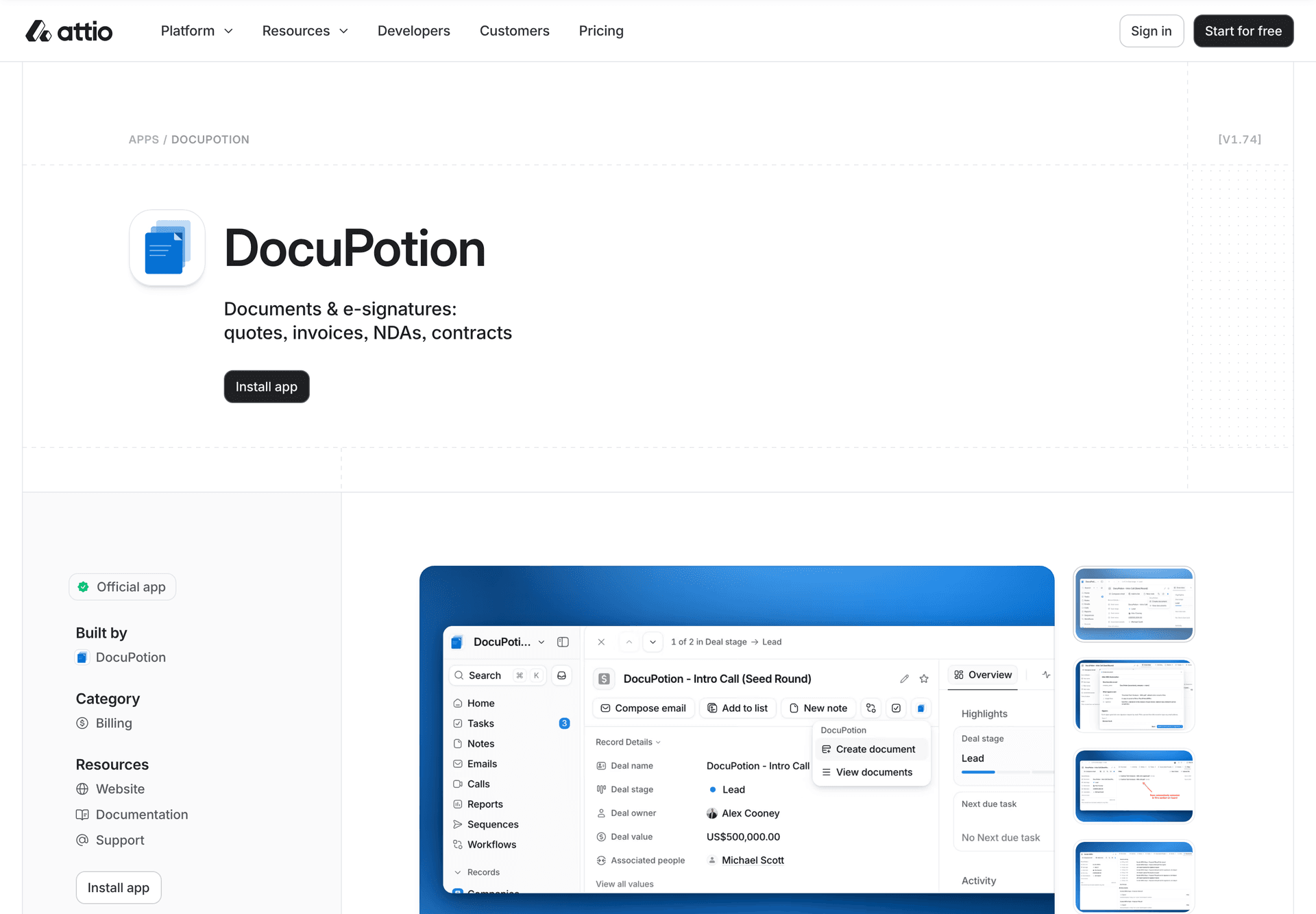
DocuPotion is the closest match to a Conga Composer or DocuSign Gen. It builds contracts, quotes and order forms from Attio records, sends them for e-signature, and uploads the signed copy back on the record.
This guide covers how you should think about replacing Conga Composer or DocuSign Gen when migrating to Attio and how the options compare. It also shows how to move your templates across, and where another tool is the better choice. DocuPotion is our product, so we say plainly where we would pick something else.
What replaces Conga and DocuSign Gen in Attio?
The short answer is DocuPotion, the native document generation app built for Attio. It does both jobs: document generation (what Conga Composer and DocuSign Gen did) and e-signature (what DocuSign eSignature or Conga Sign did). You click Create document on a deal, company or person, and the finished document is uploaded to that record.
The same goes if you used Salesforce's own Document Generation (DocGen) feature. It builds documents from Word and PowerPoint templates inside Salesforce, and like Conga and DocuSign Gen, it stays behind when you leave.
There are four routes from Attio to a signed contract. Here's how they line up.
| Option | How it connects to Attio | Generates the document | E-signature |
|---|---|---|---|
| DocuPotion | Native Attio app | Yes, from Google Doc or PDF templates | Included, no per-envelope fees |
| PandaDoc | Attio app, built by Attio | Yes, in the PandaDoc editor inside Attio | Included in PandaDoc |
| Docusign Workflows by Fluidlabs | Attio app that links Attio to DocuSign Workflow Builder | Through DocuSign templates and workflows | DocuSign |
| Zapier, Make or n8n | A workflow you build and maintain | Through a separate document tool | Through a separate signing tool |
If you're coming from Conga or DocuSign Gen, you're used to one thing. The contract builds itself from CRM data, and the rep only checks it. DocuPotion and PandaDoc both keep that. The DocuSign route keeps it only if you already run DocuSign's Intelligent Agreement Management (IAM) plan with Workflow Builder.
How is document generation in Attio different from Salesforce?
There are three differences that matter when you move. The first is that DocuPotion generates and signs in one app, under one price, while in Salesforce those jobs usually needed a second product or plan.
1. One app generates and signs
DocuSign Gen is an add-on that requires a DocuSign eSignature plan. Conga Composer builds the document and then hands it to a signing tool through Conga's eSignature integration, such as Conga Sign, DocuSign or Adobe Acrobat Sign. With DocuPotion, you turn on Send for signature in the automation, and the same document goes out to each signer. When everyone has signed, the sealed copy is uploaded to the Attio record. Our guide to collecting e-signatures in Attio walks through it.
2. Your Word templates move to Google Docs
DocuSign Gen templates are Word documents. Conga Composer supports Word, Excel, PowerPoint, PDF and HTML email templates. DocuPotion templates are built from a Google Doc or an existing PDF. So if your templates are Word files, you upload them to Google Drive, save them as Google Docs, and swap the merge fields. Your wording and layout come with you. Step 2 below shows how.
3. Priced per workspace, not per user
DocuSign Gen starts at $20 per user per month, on top of a DocuSign eSignature plan, as of November 2026. DocuPotion is priced per Attio workspace with unlimited users. Core is $49 a month for 100 documents, and e-signatures are included. Adding the whole sales team costs nothing extra.
Comparing Conga, DocuSign Gen and DocuPotion
DocuPotion is the only one of the three that works with Attio. Conga Composer and DocuSign Gen are strong Salesforce tools, and the tables below show what you keep and what changes when you move.
How it connects to your CRM
| Conga Composer | DocuSign Gen | DocuPotion | |
|---|---|---|---|
| CRM | Salesforce connector, plus an API for other systems | Salesforce (Sales Cloud and Revenue Cloud) | Attio |
| Attio app | No | No | Yes, on the Attio App Store |
| Where reps click | A button on the Salesforce record | Inside the Salesforce record | Create document on the Attio record |
| Automation | Batch and event-based generation | Bulk generation, including through DocuSign's API | Attio workflows: a Generate document step, plus Document sent for signature and Document signed triggers |
Creating documents and templates
| Conga Composer | DocuSign Gen | DocuPotion | |
|---|---|---|---|
| Template format | Word, Excel, PowerPoint, PDF and HTML email | Word | Google Doc or uploaded PDF |
| Output | PDF, Word, Excel, PowerPoint, HTML email | Word, PDF or DocuSign document formats | |
| Line items | Yes, from Salesforce data | Yes, from Salesforce and CPQ data | Yes, from related Attio records, with formulas such as SUM |
| Conditional content | Yes | Yes | No. Use a separate template for each case |
| Where the document goes | Salesforce | Salesforce | The Attio record, plus Google Drive or email if you want |
E-signatures
| Conga Composer | DocuSign Gen | DocuPotion | |
|---|---|---|---|
| Signing | Through Conga Sign or another signing tool | Needs a DocuSign eSignature plan | Built in |
| Per-envelope fees | Depends on the signing tool | Depends on your DocuSign plan | None |
| Signed copy uploaded to the record | In Salesforce | In Salesforce | Yes, sealed and uploaded to the Attio record |
| Signature level | Depends on the signing tool | Up to eIDAS Qualified with DocuSign | Simple electronic signatures (ESIGN, UETA, eIDAS) |
Pricing (as of November 2026)
| Conga Composer | DocuSign Gen | DocuPotion | |
|---|---|---|---|
| Model | Not published; quoted by Conga | Per user | Per Attio workspace, unlimited users |
| List price | Contact Conga | From $20 per user per month, plus a DocuSign eSignature plan | $49 a month (Core, 100 documents) or $149 a month (Business, 500 documents) |
| Free trial | Ask Conga | 30 days | Free trial, no credit card required |
DocuPotion's annual plans cost less. See pricing for the details.
How to generate contracts in Attio after switching from Salesforce
To generate contracts in Attio after leaving Salesforce, install a document app such as DocuPotion. Then move your Conga or DocuSign Gen templates into Google Docs, map the merge fields to Attio attributes, and generate from the deal. Here's the order we'd do it in.
Step 1: List the documents you actually send
Open Conga or DocuSign Gen and list every template that ran in the last six months. Usually only a handful matter, such as an order form, an MSA, an NDA and a renewal. Leave the rest behind.
Step 2: Move the templates to Google Docs
Most of the work here is copying, not rebuilding. Get the Word file for each template you're keeping. Conga keeps each template as a file attached to a Conga Template record in Salesforce, so you can download it from there.
DocuSign Gen is different. Gen exports templates as .json files, not Word, so you can't download a template and open it in Google Docs. Use the original Word file you uploaded to Gen instead. If you don't have it anymore, generate a recent contract from Gen as a Word document and replace the deal details with tags.
Upload each Word file to Google Drive and save it as a Google Doc. Check the layout once it's converted, because tables and headers sometimes shift. Then replace the Salesforce merge fields with DocuPotion tags, such as {{company_name}} or {{contract_value}}. How much retyping that takes depends on where you're coming from:
- Conga's text-based merge fields already use double curly brackets, like
{{ACCOUNT_NAME}}, so you only rename them. - Conga's traditional fields use Word's own mail merge, so you retype each one as a tag.
- DocuSign Gen fields are wrapped in
<# ... #>markers, so you replace each one with a tag.
For a pricing table, wrap the row in a loop so it repeats once per line item:
{{#line_items}}
{{product_name}}   {{quantity}}   {{unit_price}}   {{amount}}
{{/line_items}}
DocuPotion doesn't support conditional content (showing or hiding a clause based on a field). If a Conga or DocuSign Gen template swaps clauses in and out with rules, split it into two or three plain templates, one per case. If a template has to keep a fixed layout, such as a signed-off legal form, upload the PDF and place fields on it instead.
Step 3: Check your Attio data model
Your templates can only use data that made it into Attio. Attio's Salesforce migration runs on paid Attio plans and brings over contacts, accounts, leads and opportunities. Turn on Attio's Deals object before you migrate opportunities. If your contracts used products or line items, make sure they exist in Attio as related records on the deal before you build the template.
Step 4: Map fields and send for signature
In DocuPotion, create an automation for the template, choose the Attio object (usually Deals), and map each merge field to an attribute. You can reach one step into related records, which is how the company's address or the deal's products get into the contract. Turn on Send for signature and set where each signer's email comes from. Our guide to generating documents from Attio covers each screen.
Step 5: Rebuild the automation in Attio workflows
If Salesforce generated contracts automatically when an opportunity moved stage, rebuild that as an Attio workflow with DocuPotion's Generate document step. Then use the Document signed trigger to move the deal to Closed Won when the contract comes back signed. Here's the full setup for a deal stage trigger.
Attio's Salesforce migration notes list contacts, accounts, leads and opportunities, and don't say whether your Salesforce attachments come across. Keep a read-only export of the contracts you signed in Salesforce before you switch it off, and check with Attio or Import2, the migration service Attio's guide uses.
When to choose DocuPotion, and when to choose something else
Choose DocuPotion if you want the Conga or DocuSign Gen workflow back inside Attio: a template populated with data from the record, signed and uploaded back to the record without a second tool. It suits sales and GTM teams sending contracts, order forms, NDAs and quotes from deals, who want one price for the whole workspace.
Something else is the better choice in these cases:
- You need a full proposal editor. If reps rewrite every proposal and clients expect interactive pricing tables and payments inside the document, PandaDoc is the stronger choice. It has an Attio app built by Attio. We compare the two on our PandaDoc alternative for Attio page.
- Your company is standardized on DocuSign. If legal requires DocuSign, or you need eIDAS Advanced or Qualified signatures or signer ID checks, keep DocuSign. If you also have DocuSign IAM with Workflow Builder, the Docusign Workflows app by Fluidlabs can pre-fill agreements from Attio and save the completed envelope back to the record. Our DocuSign alternative for Attio page compares DocuSign and DocuPotion in more detail.
- You relied on Salesforce CPQ. Attio doesn't do CPQ or billing. If you need usage-based pricing, subscriptions and invoicing, look at a billing platform with an Attio app, such as Hyperline, and use a document tool for the contract itself.
- Your templates depend on conditional clauses. DocuPotion doesn't show or hide content based on a field. If one master template covers dozens of variations, splitting it up may be more work than it's worth.
- You generate thousands of documents in batches. Conga's batch generation and Word, Excel and PowerPoint output go further than DocuPotion, which generates every document as a PDF. DocuPotion's Business plan covers 500 documents a month, and higher volumes go on a Custom plan.
We wouldn't recommend rebuilding Conga with a Zapier, Make or n8n workflow. It works for a simple PDF, but every template becomes a workflow to maintain, and you still need a separate signing tool.
Recommendations by team type
- Sales teams moving from Salesforce: use DocuPotion. Move your order form and MSA first, and send them from the deal with Create document.
- RevOps and Attio admins: rebuild the old Salesforce automation as an Attio workflow, with the Generate document step and the Document signed trigger to close the deal.
- Agencies sending proposals and SOWs: if proposals are mostly the same with new numbers, use DocuPotion. If every proposal is designed by hand, use PandaDoc.
- Companies standardized on DocuSign: keep DocuSign for signing. Use the Fluidlabs app if you have DocuSign IAM, or connect DocuSign through a Zapier, Make or n8n workflow.
FAQ
Does Conga work with Attio?
No. Conga Composer has no app on the Attio App Store. It's built around Salesforce, with an API for embedding it in other systems, so connecting it to Attio means a custom integration. Most teams moving to Attio replace it with an Attio document app instead.
Does DocuSign Gen work with Attio?
No. DocuSign Gen is a Salesforce app for Sales Cloud and Revenue Cloud. DocuSign itself can connect to Attio through the Docusign Workflows by Fluidlabs app, which needs DocuSign IAM and Workflow Builder, or through a Zapier, Make or n8n workflow.
What about Salesforce Document Generation (DocGen)?
Salesforce Document Generation is a Salesforce feature, so it doesn't come to Attio either. Its templates are Word or PowerPoint files with merge tokens, so you can move them to Google Docs the same way as Conga or DocuSign Gen templates.
What is the Attio equivalent of Conga or DocuSign Gen?
DocuPotion is the native document generation app built for Attio, and the closest match. It generates documents from Attio records, sends them for e-signature, and uploads the signed copy back on the record. PandaDoc is the other option, if you want its proposal editor.
Can I reuse my Conga or DocuSign Gen templates in Attio?
Yes, if you have them as Word files. Conga templates download from Salesforce, but DocuSign Gen only exports templates as .json, so use the original Word file you uploaded to Gen. Upload each Word file to Google Drive, save it as a Google Doc, and replace the Salesforce merge fields with DocuPotion tags mapped to Attio attributes. Templates that rely on conditional clauses need splitting into one template per case.
Can I get contracts signed without leaving Attio?
Yes. With the DocuPotion app you generate the contract on the record, send it for e-signature, track who has signed in the Documents widget, and get the sealed copy uploaded to the record. E-signatures are included, with no per-envelope fees.
How much does DocuPotion cost compared to DocuSign Gen?
DocuPotion costs $49 a month for the whole Attio workspace on Core, with 100 documents and e-signatures included. As of November 2026, DocuSign Gen starts at $20 per user per month, plus a DocuSign eSignature plan. For a five-person team, DocuSign Gen alone is $100 a month before signing.
Wrapping up
When you move from Salesforce to Attio, Conga and DocuSign Gen stay behind, and you'll need a new document app to replace them. DocuPotion is the native document generation app built for Attio: it generates contracts from Attio records, gets them signed, and uploads the signed copy back, for one price per workspace. Move your two or three most-used templates first, and the rest of the switch gets much less scary.
Start with our guide to generating documents from Attio, or install the DocuPotion app from the Attio App Store and try it with a free trial, no credit card required.