
n8n PDF Node
The PDF node for n8n
Generate PDFs from your DocuPotion templates inside any n8n workflow. Pass JSON data and get back a PDF binary or hosted URL, ready for the next node.


5.0
from user reviews
n8n PDF Node
Generate PDFs from your DocuPotion templates inside any n8n workflow. Pass JSON data and get back a PDF binary or hosted URL, ready for the next node.
from user reviews
A single n8n PDF generator node that handles template-driven PDF generation, output flexibility, and any trigger you can wire in.
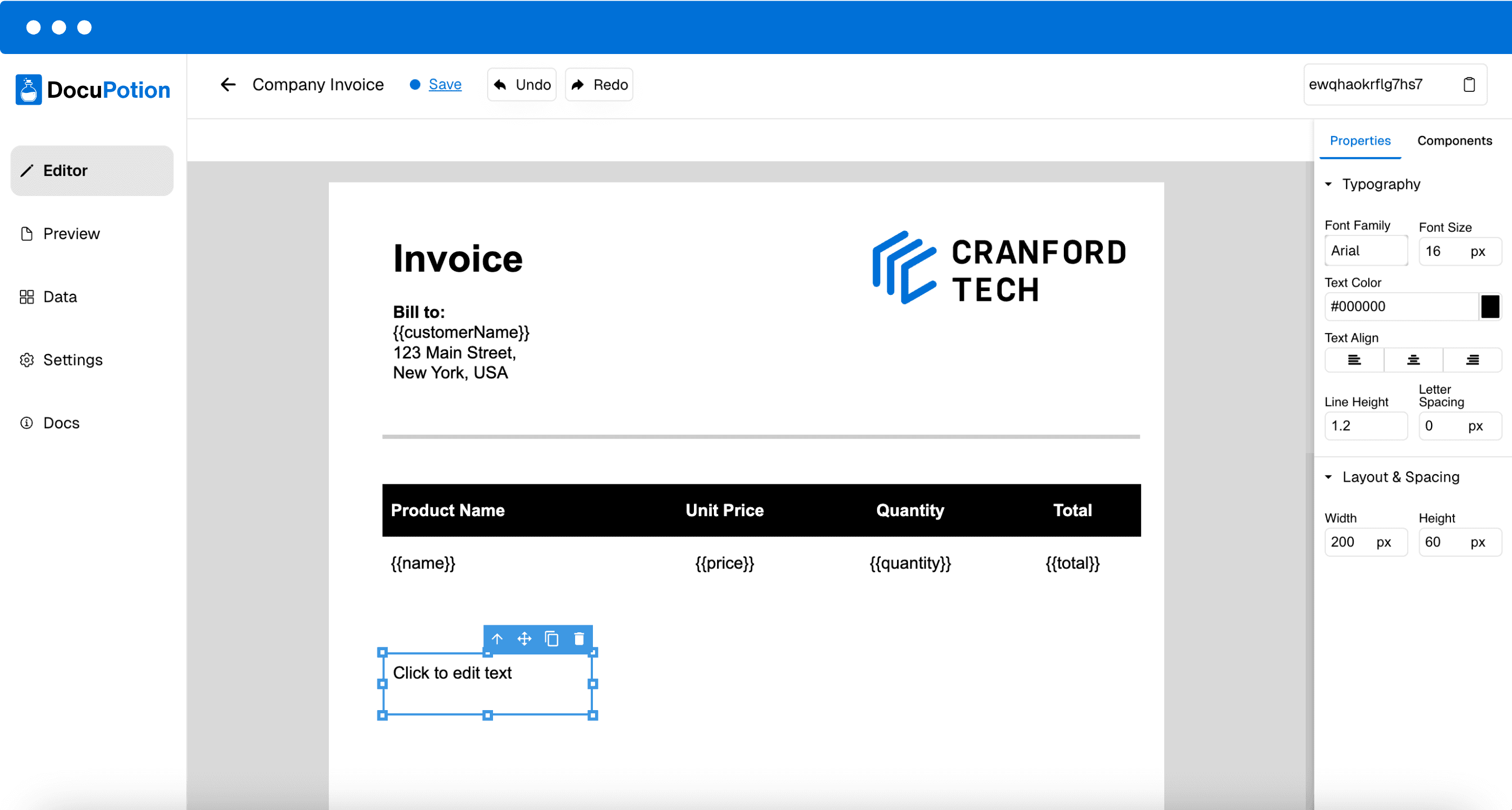
Design a reusable template in DocuPotion's AI editor, then pass JSON data through the node to produce a populated PDF. Merge fields like {{customerName}} and {{invoiceTotal}} are filled in on every run.
Choose how the node returns your PDF. Binary plugs straight into Gmail attachments, Google Drive uploads, or Slack file shares. Hosted URLs work for any downstream HTTP node.
Webhook, Schedule, Cron, Google Sheets, Airtable, HubSpot, form submissions. Anything that fires in n8n can fire the DocuPotion PDF generator node.
 4.9/5 Rated on G2 by real users
Three steps to your first generated PDF.
DocuPotion is listed on n8n.io as a community node. Install it through the community nodes panel. Works the same on n8n Cloud and self-hosted instances.
Generate an API key in the DocuPotion app and paste it into n8n's credentials manager. The same credential works across every workflow in your instance.
Add the template ID for the document you're generating, then map JSON fields from upstream nodes to the template's merge fields. Trigger a workflow run and you have a finished PDF.
Examples of how teams use the DocuPotion PDF generation node in production.

Airtable

DocuPotion
Attachment
Auto-generate invoices from Airtable
Mark a record as "Ready to Bill" and the invoice PDF lands as an attachment on the same record. No manual handoff.
Schedule
DocuPotion

Gmail
Monthly billing run
On the 1st of every month, every customer in your CRM gets their invoice rendered and emailed in a single workflow run.
Webhook
DocuPotion
Gmail
Form submission to PDF
A user submits your form, the node renders a confirmation document, and the PDF is in their inbox before they close the tab.

Google Sheets
DocuPotion

Google Drive
Bulk reports from a spreadsheet
Pull metrics from Google Sheets, generate one branded PDF report per row, and upload each file to a shared Drive folder.
Resources
{ "template_id": "tmpl_abc",
"data": {
"customerName": $json.name,
"invoiceTotal": $json.total
}
}
Quickstart Guide
Step-by-step instructions to add the DocuPotion node and generate your first PDF
Template Workflow
Import a ready-made workflow from n8n.io and see the DocuPotion node in context
Video Tutorial
Watch a walkthrough of using the DocuPotion node in a real n8n workflow
From invoices to contracts, teams rely on DocuPotion to automate their document workflows and scale easily.
"I set up DocuPotion and deployed within 30 minutes. Everything worked seamlessly and the team is always responsive and helpful for support. I'd strongly recommend it to any developer who needs to generate documents at scale in their app."
George Collier
Founder, Not Quite Unicorns
DocuPotion is a community node, listed on n8n.io. Install it through the community nodes panel in your workflow. The same flow works on both n8n Cloud and self-hosted instances. The quickstart guide has the step-by-step.
Yes. The DocuPotion node is a community node and community nodes can be installed on both n8n Cloud and self-hosted instances. As long as your self-hosted instance can make outbound HTTPS requests, the node works identically.
Both. Configure the node to return either a binary file (which can be wired straight into Gmail attachment, Google Drive upload, or any binary-aware node) or a hosted URL, which works for any HTTP node or downstream tool that accepts a link.
Not directly. The node operates on DocuPotion templates rather than raw HTML strings. To render HTML, save it as a DocuPotion template once, then pass JSON data through the node to fill it in. The benefit is reusable, version-controlled documents instead of one-off renders.
Anything upstream in n8n. Webhook, Schedule, Cron, Google Sheets, Airtable, HubSpot, Salesforce, form submissions, database changes, file uploads. If it's a trigger or upstream node in n8n, it can fire the DocuPotion node.
Use n8n's built-in Continue On Fail option on the DocuPotion node. The workflow keeps running and downstream nodes can branch on success/failure using an IF node. The node returns a clear error message you can route into Slack alerts or your monitoring tool.
Yes. Start a free DocuPotion trial without a credit card and use the n8n PDF node from your first workflow.
Start a free trial of DocuPotion and generate your first PDF from n8n in minutes. No credit card required.
Start free trial