Team Recognition
Employee of the Month
Proudly presented to
Tara Singh
Employee of the Month, June 2026, nominated by her colleagues.
30 June 2026
Date
Rob Keane
Rob Keane
Operations Manager
Upload the certificate design you already have, or pick a template, and mark the parts that change as merge fields. Then upload your spreadsheet: DocuPotion returns a personalised PDF certificate for every row. Download the batch as a zip, or email each person theirs.
 4.9/5 Rated on G2 by real users
Nobody needs one certificate. You need eighty for last week's cohort, two hundred for the conference, one for everyone who finished the training. Done by hand that means duplicating a file and retyping names until something slips through. A bulk certificate generator removes the retyping: one template, one spreadsheet, one finished PDF per row.
From a spreadsheet of names to a finished certificate for each one.
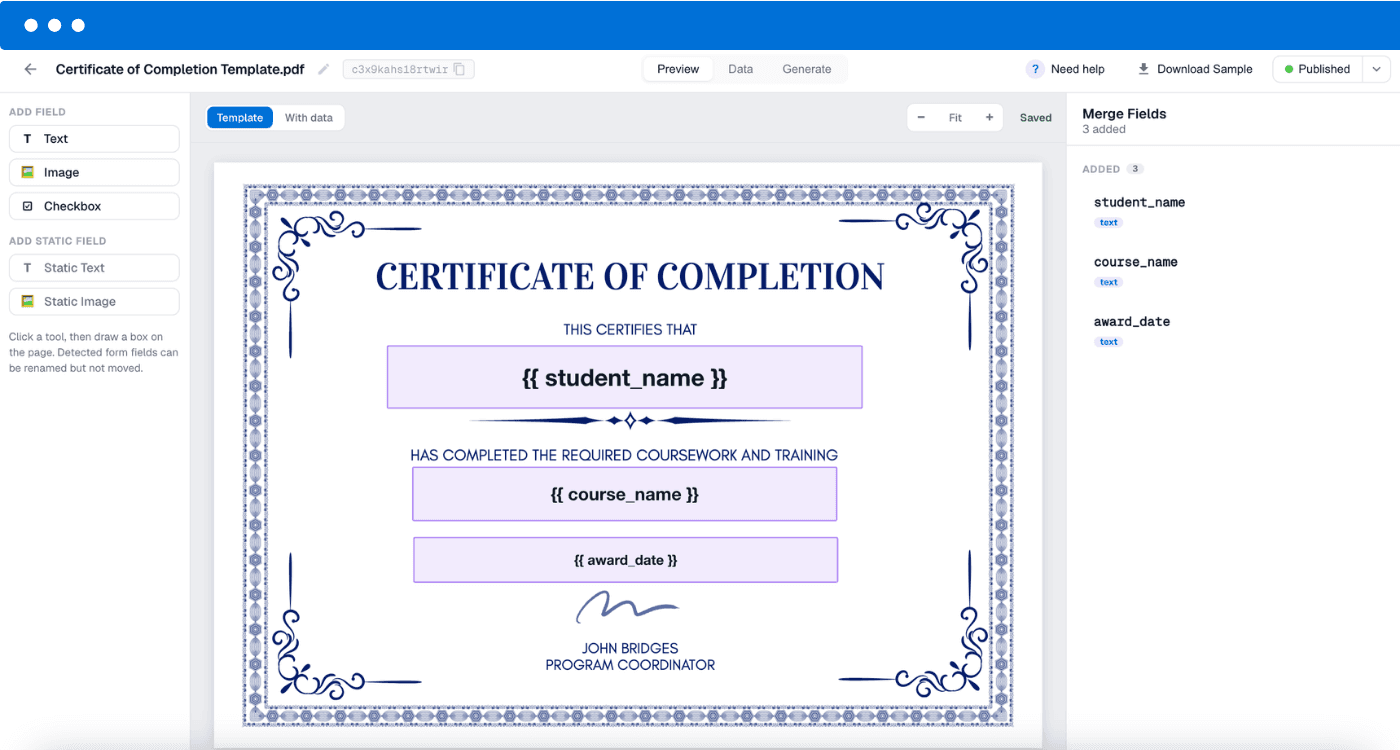
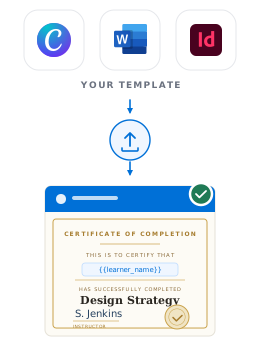
Upload your certificate as a PDF, whether it came from Canva, Microsoft Word or Google Docs, and place merge fields like {{recipient_name}} and {{date}} wherever the details change. The layout stays exactly as designed. Starting from scratch instead? Describe the certificate and DocuPotion's AI builds it, or pick a ready-made template below.
Export a CSV or Excel file from wherever your names live: a booking system, an LMS, an HR system, or a sheet you keep by hand. DocuPotion auto-matches your column headers to your merge fields, and you can adjust any pairing before generating.
DocuPotion fills the template once per row and returns a separate certificate for every person, up to 5,000 in a single run, with live progress as it goes. Name the files from your merge fields, download everything as a zip, or have each certificate emailed to its recipient.
Most bulk certificate tools make you rebuild your design inside their editor, and the rebuilt version never quite matches: the fonts drift, the spacing shifts, the logo sits a few pixels off. If a designer or an accrediting body signed off your certificate, close enough is not good enough.
DocuPotion works the other way round. Upload the PDF you already use and drop merge fields on top of it. Everything else, the borders, the seals, the signatures, the wording, stays pixel for pixel as designed. Then every certificate in the batch comes out looking like the original, because it is the original.
Works with flat PDFs and fillable PDFs alike. If your design lives in Canva, Word or Google Docs, export it as a PDF and upload that.
Flat or fillable PDFs. Existing form fields are detected and mapped to merge fields automatically.
Nothing moves. Only the merge fields change per certificate. The design never reflows.
Any origin. Canva, InDesign, Word, Google Docs: if it exports to PDF, it works.
No design yet? Describe the certificate you want and DocuPotion's AI generator builds a template for you.
Ten professionally designed starting points covering every certificate type. Pick one, then fill it from your spreadsheet. Or upload your own PDF and keep your design.
Certificate of Recognition, Ornate Bronze
Certificate of Excellence, Formal Emerald
Employee of the Month, Modern Teal
Certificate of Completion, Classic Ivory and Navy
Certificate of Achievement, Modern Indigo
Certificate of Appreciation, Ornate Burgundy
Diploma, Classic Navy and Gold
Graduation Certificate, Formal Burgundy
Certificate of Participation, Minimal Ocean
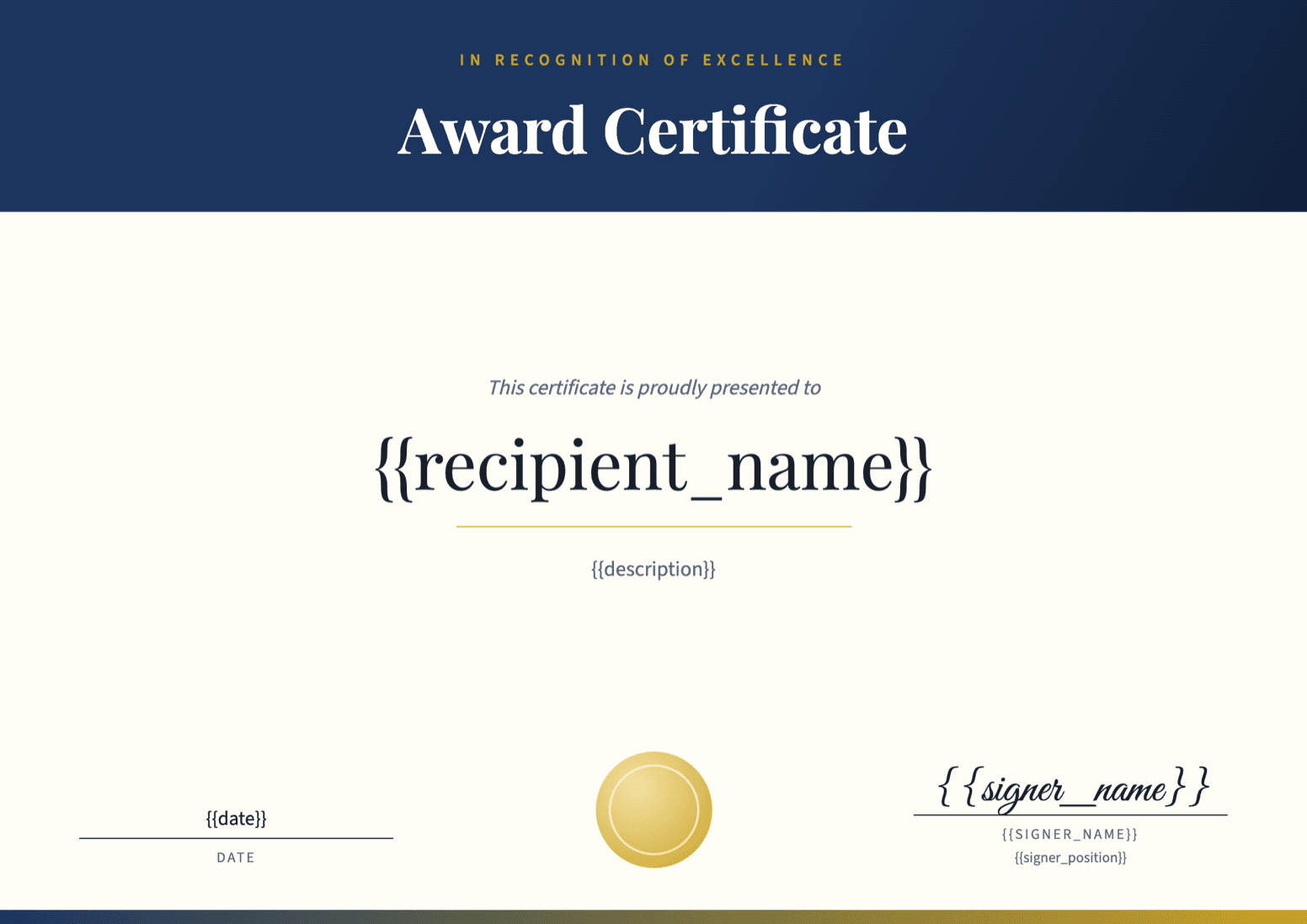
Award Certificate, Formal Navy and Gold
A spreadsheet becoming a batch of finished certificates, each one emailed to its recipient.
You set up a certificate template once, marking the parts that change per person as merge fields, then upload a spreadsheet of recipients. DocuPotion fills the template once per row and returns an individual PDF certificate for each person, so a 300-row spreadsheet becomes 300 finished certificates in one run.
Up to 5,000 rows per spreadsheet, with a 20 MB file size limit. Larger batches just get split across files. Generated documents stay available to download for 12 months. The full walkthrough is in our spreadsheet generation guide.
Yes. DocuPotion accepts .xlsx and .csv files directly. If your list lives in Google Sheets, use File, then Download, and export it as either format. Each row becomes one certificate, and your column headers are auto-matched to the template's merge fields.
Yes. Upload your existing PDF and place merge fields on top of it; the layout, wording and any marks stay exactly where they were designed. If you're issuing CPD certificates specifically, see our CPD certificate guide, which covers accredited designs, CPD hours and certificate IDs.
Yes. Map the email column in your spreadsheet and DocuPotion sends each person their own certificate as an attachment, with a subject and message you can personalise using merge fields. You can watch per-recipient delivery status (sent, delivered or bounced) and resend any failures without regenerating. Email delivery is included on paid plans; you can always just download the batch instead.
Every certificate counts as one document, whether generated singly or in a batch, so a 200-row spreadsheet uses 200 documents. The free trial includes 10 documents, enough to test your design on a few rows before the full run. Core includes 100 a month and Business includes 500, so check a typical batch against your plan before a large run.
Yes. If you'd rather issue a certificate the moment someone completes a course, submits a form or gets marked complete in your system, connect the same template through Airtable, Zapier, Make, n8n or our REST API. The spreadsheet flow is for batches; the integrations are for one-at-a-time automation.
Yes. Our free online certificate maker lets you fill a template and download a PDF in seconds, no account needed. For a whole batch from a spreadsheet, use the bulk generation described above.
Upload your design, upload your list, download the batch. Start with a free trial, no credit card required.