Automatically turn Typeform submissions into PDFs

Stop copy-pasting form responses into a document. Connect Typeform to DocuPotion with Zapier or n8n, and generate a branded PDF from every submission.

50 free documents No credit card Set up in minutes
Typeform
Typeform
Customer survey
Overall rating
Most useful feature
Suggestions
Submit
PDF
Survey response
Customer Satisfaction Survey
RESPONDENT
Jordan Lee
RATING
9 / 10
SUBMITTED
24 Jul 2026
WOULD RECOMMEND

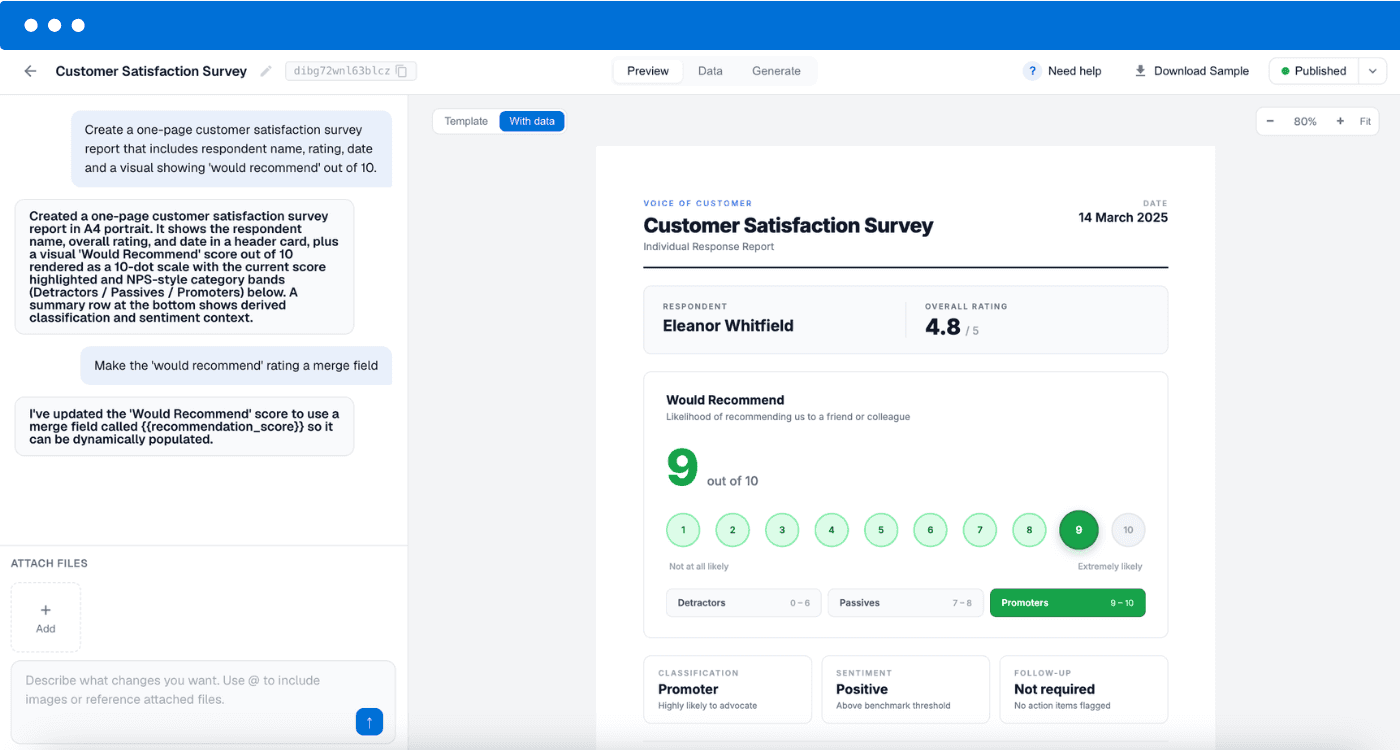
Typeform is a great way to build forms, but it has no built-in way to turn a response into a finished document. If you find yourself manually copying each submission into a report, certificate or other document, you can automate the whole thing. DocuPotion generates the PDF from a reusable template, and a tool like Zapier or n8n connects your form to it so a new PDF is created the moment someone hits submit.

How to convert a Typeform to PDF

Three steps from Typeform form submission to finished PDF.

1

Capture the submission

When someone submits your Typeform, Zapier or n8n picks up the new response. Typeform can trigger Zapier directly, or send a webhook to n8n on each submission.

2

Build your reusable template

In DocuPotion, build a reusable template and add merge fields like {{name}} or {{date}}. Design a template from scratch with our AI-powered editor, or upload one of your existing documents.

3

Generate the PDF

The DocuPotion step fills your template with the form data and returns a finished PDF. Zapier or n8n then emails it, saves it to Google Drive, or sends it wherever you need.

Converting a Typeform survey response into a branded PDF with DocuPotion

Choose your automation tool

DocuPotion connects to Typeform through Zapier or n8n. Pick whichever you already use. Both get you to the same automated PDF.

Zapier

via Zapier

New Typeform entry
DocuPotion → Create Document
Branded PDF

Use the Typeform trigger in Zapier, then add the DocuPotion app's “Create Document” action. Best if you already run your automations in Zapier.

See the Zapier app
n8n

via n8n

Typeform Trigger → n8n
DocuPotion node → Create Document
Branded PDF

Use the Typeform Trigger node in n8n to fire on each new submission, then use the DocuPotion community node to generate the PDF. Best if you self-host or want more control over the workflow.

See the n8n node

Frequently asked questions

How do I automatically create a PDF from a Typeform submission?

Connect Typeform to DocuPotion using an automation tool like Zapier or n8n. The tool detects each new form submission, passes the answers to DocuPotion, and DocuPotion fills a reusable template to produce a finished PDF automatically, every time someone submits the form.

Do I need to know how to code?

No. You build your document template in DocuPotion by describing it or by uploading an existing document, and you connect Typeform to it with Zapier or n8n using their visual, no-code builders. No developer is required.

Can the PDF be emailed or saved to Google Drive automatically?

Yes. Once DocuPotion generates the PDF, Zapier or n8n can handle delivery in the same workflow: email it to the respondent or your team, upload it to Google Drive, or push it to another app.

Can I match the PDF to my own branding?

Yes. DocuPotion templates support your own logo, colours, fonts and layout, so every generated PDF looks on-brand and consistent, not like a raw form export.

Does Typeform generate PDFs natively?

Typeform allows you to save a PDF of your summary report by using: Print -> Save as PDF, but there is no native way to turn an individual response into a custom, branded PDF document. Pairing Typeform with DocuPotion via Zapier or n8n gives you full control over how each PDF looks.

Do Typeform file-upload fields work?

Yes. Typeform delivers file-upload answers as URLs in the submission, so you can pass them into your template to display the uploaded file in the PDF.

Generate a PDF from every Typeform submission

Set up your template once and let Zapier or n8n do the rest. Start free with 50 documents, no credit card required.

Start free trial